Now on the Mac App Store

The home your
music deserves

A beautiful, private player for the music you own. Point Sleevio at your folders and turn a lifetime of files into a fast, gorgeous library — then play it in Center Stage, your full-screen listening console.

$4.99 one-time, no subscription · macOS 15 or later · Apple silicon

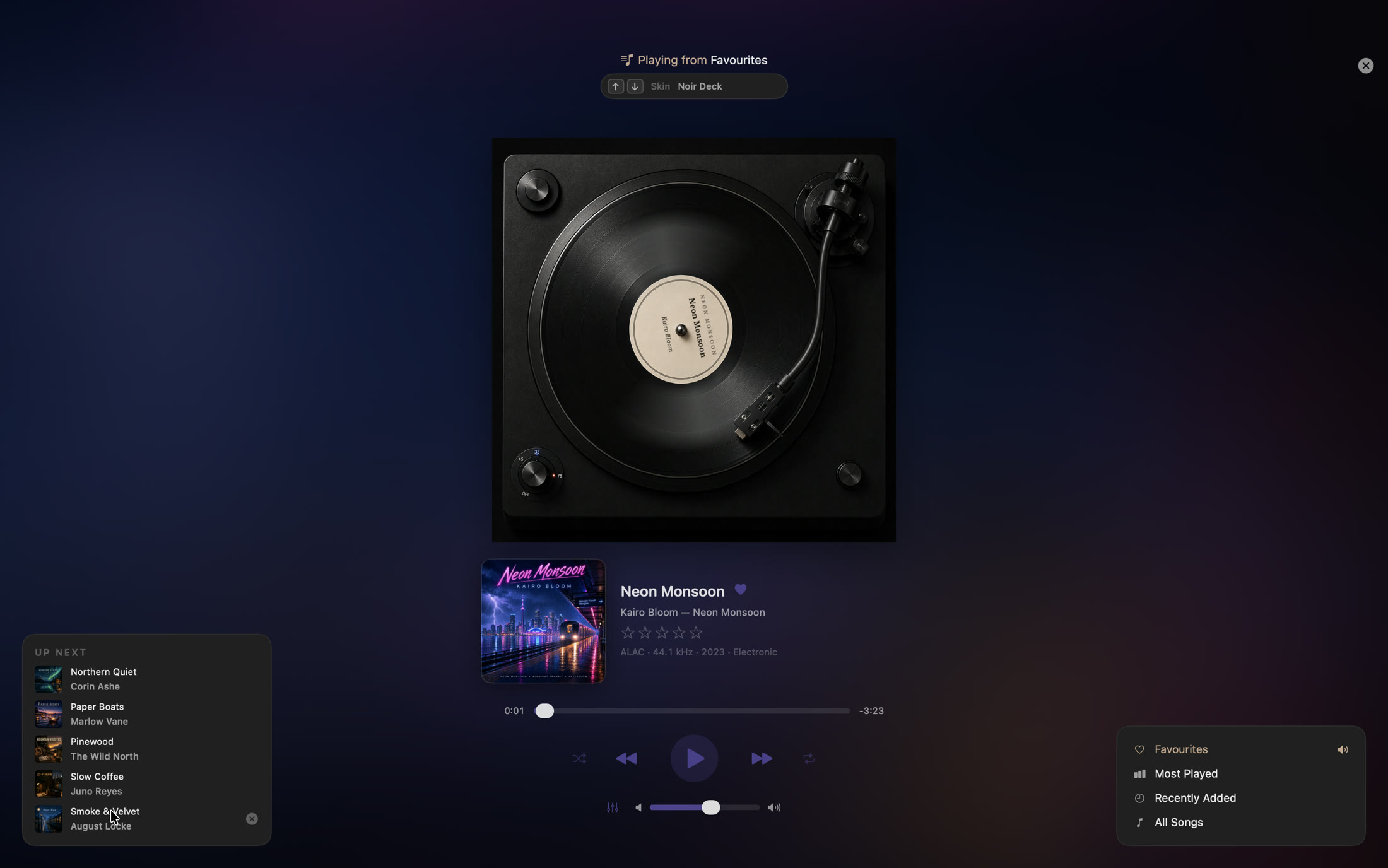
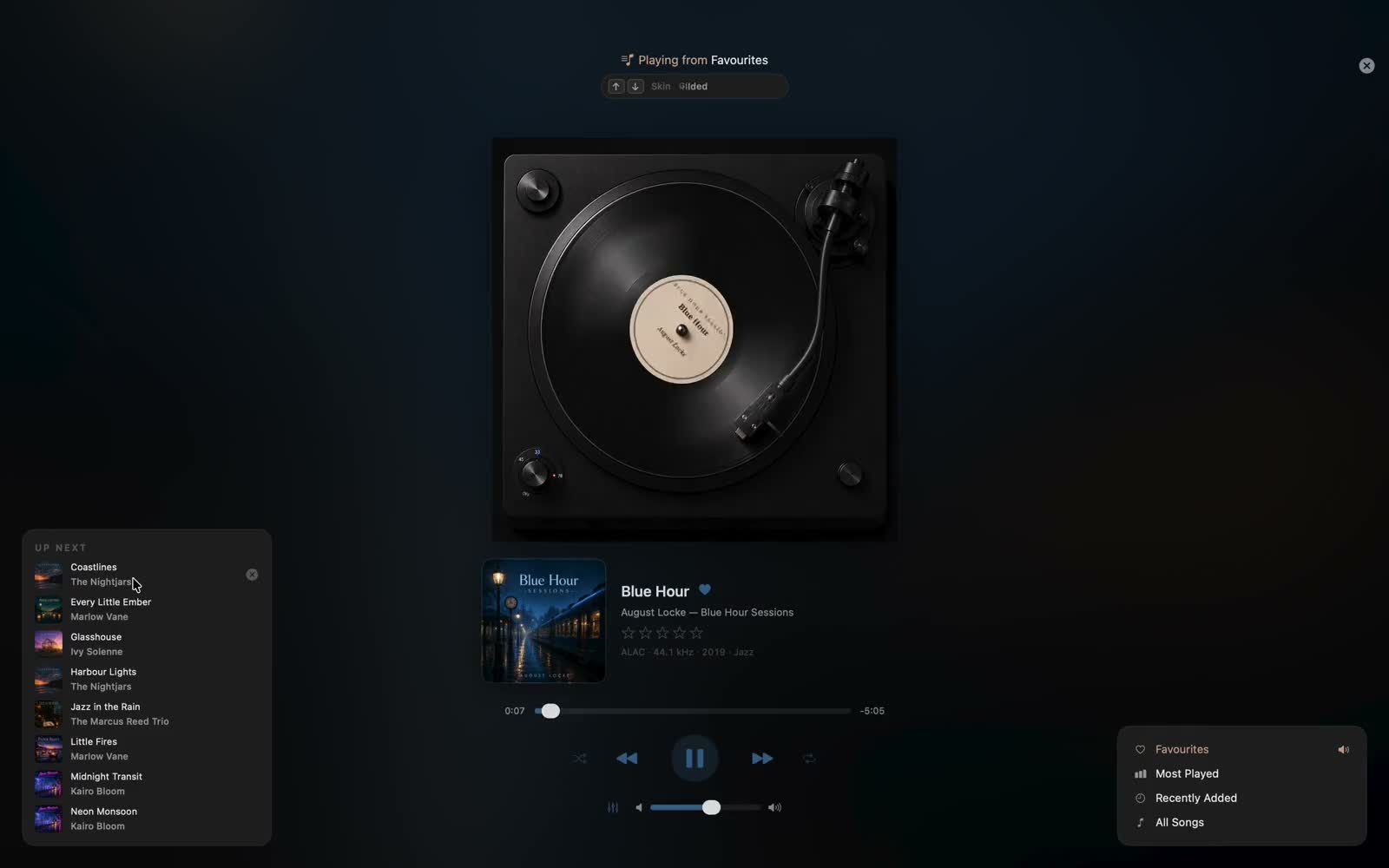
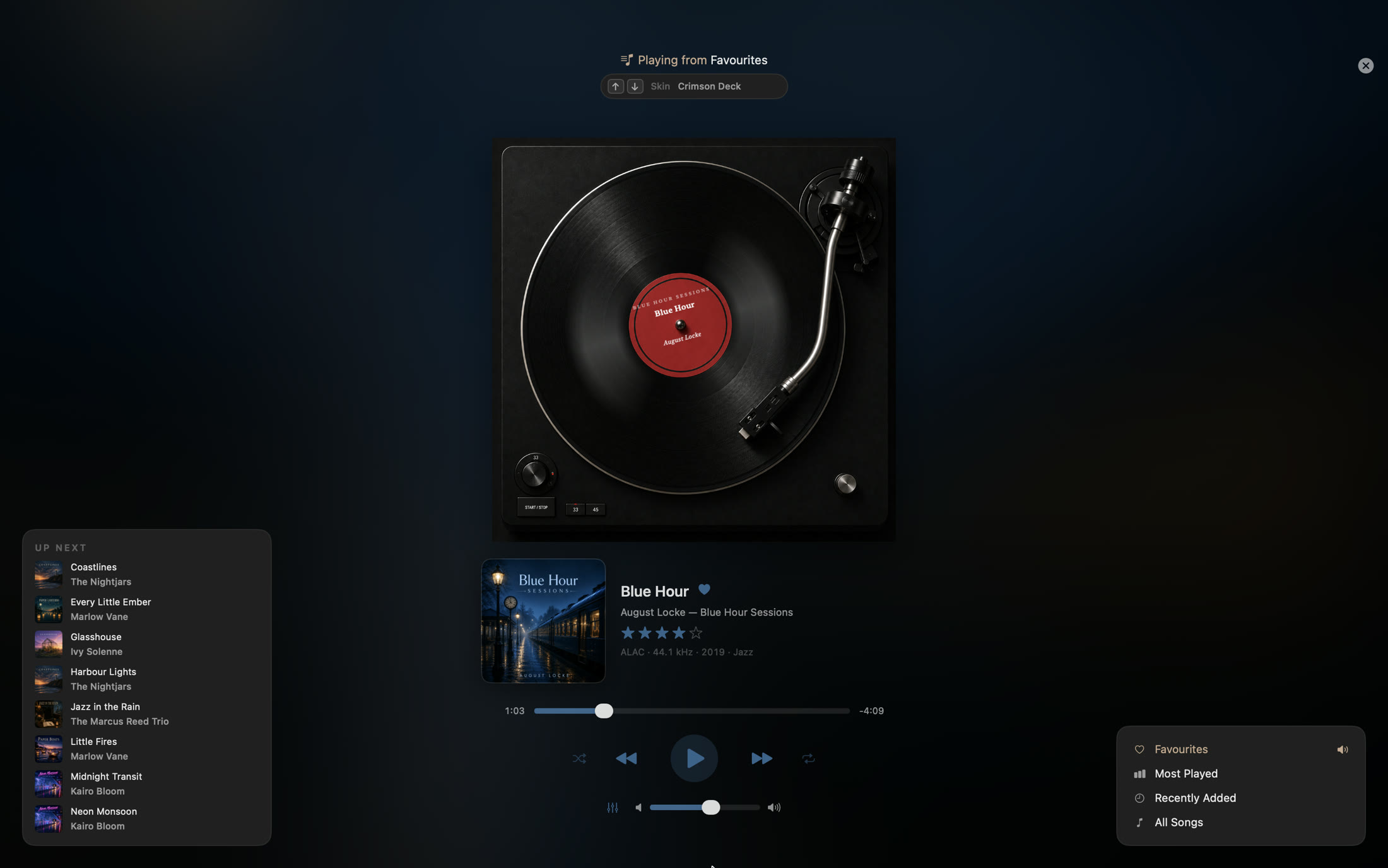
Sleevio's Center Stage — a full-screen turntable console
🔒 No accounts 🚫 No tracking or analytics 📁 Reads only folders you choose ✓ Data never leaves your Mac

Built for a real collection

Everything your library has been missing

If you've spent years ripping, buying, and lovingly tagging your own music, Sleevio is built for you — no streaming, no accounts, no algorithms.

Center Stage

A full-screen now-playing console with everything a track needs in one view — so you never have to leave.

Organize a big library

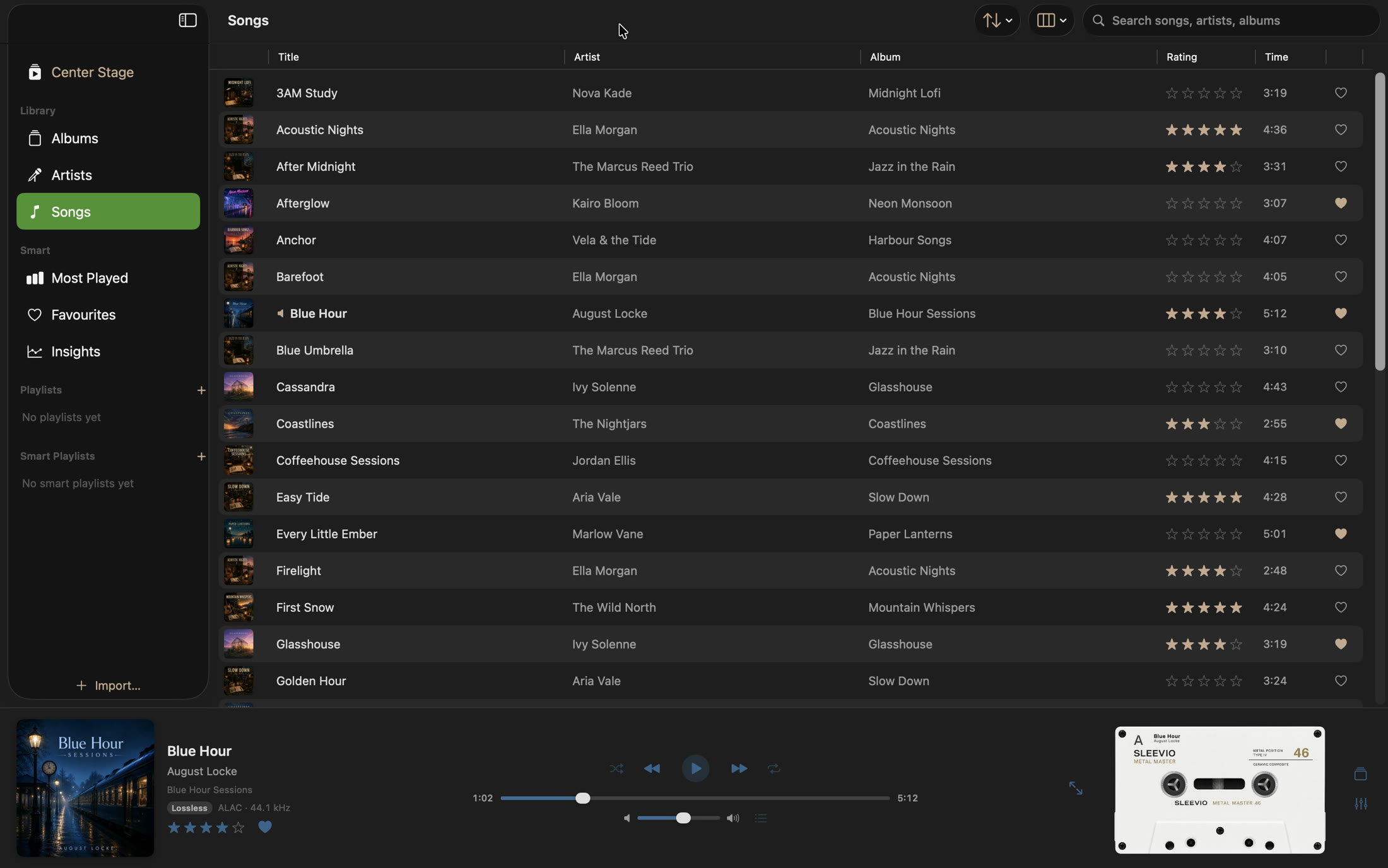
Sortable, fully customizable columns, Albums, Artists, ratings and play counts. Built to stay fast at scale.

Search that follows you

Context-aware search filters what you're browsing — search in Albums and get albums, in Songs get songs.

Vinyl & cassette skins

Real turntable and classic tape formulations, switchable with a keystroke — a little nostalgia in every session.

10-band equalizer

Dial in your sound with a graphic EQ and presets, running on a gapless dual-deck audio engine.

Faithful to your files

Reads your tags exactly as they are and never modifies your files. Codec, sample rate, and a Lossless badge, right on screen.

Center Stage

Your go-to listening destination

The heart of Sleevio. Open Center Stage and the whole app becomes your now-playing console — the record spinning, the title on the label, and your whole library a click away.

  • Switch skins with a click or the arrow keys
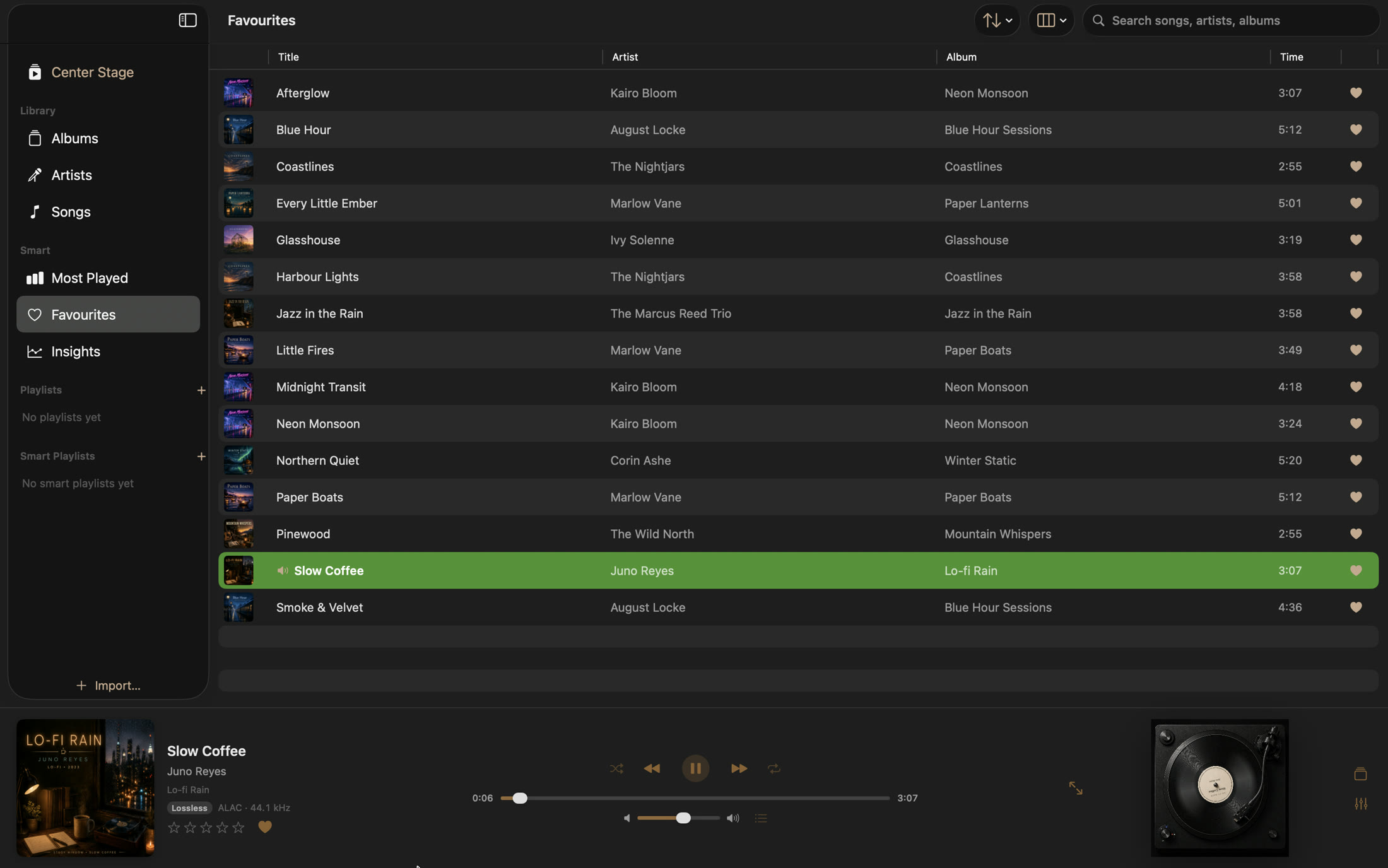
  • Up Next, Favourites, Most Played & every playlist, right there
  • Full transport, seek, shuffle, repeat and volume — always in view
  • A live spectrum analyzer and the 10-band EQ
Center Stage — a full-screen turntable

Your Library

Organize it beautifully, easily

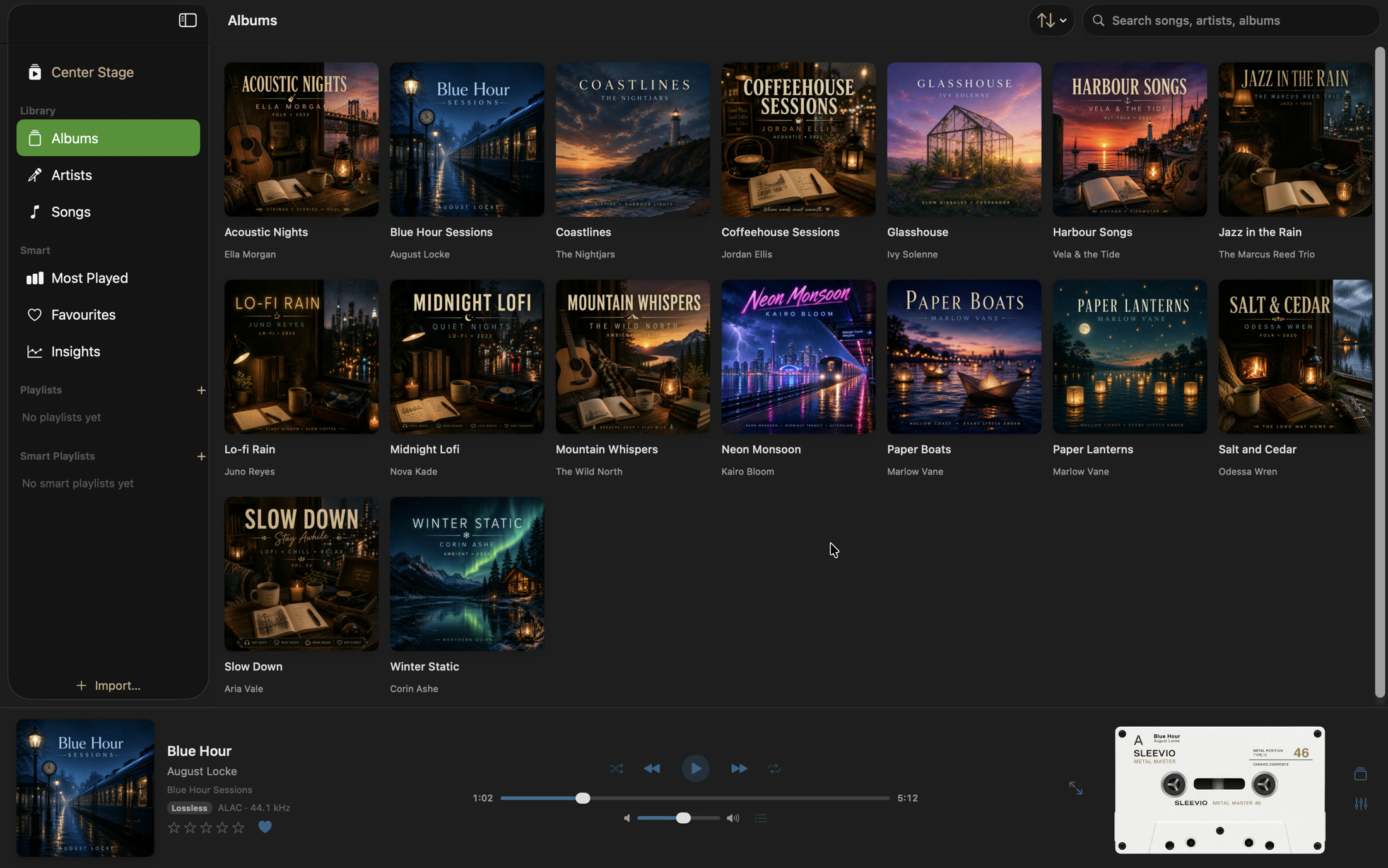
A clean, fast home for thousands of tracks. Browse by album at a glance, add exactly the columns you care about, and let Smart Playlists keep themselves up to date by your own rules.

  • Albums, Artists, Songs, Most Played, Favourites
  • Customizable columns, star ratings and play counts
  • Playlists and self-updating Smart Playlists
  • Plays MP3, AAC, ALAC, FLAC, WAV & AIFF — lossless and Hi-Res aware
Sleevio albums grid

Insights

See your listening, beautifully

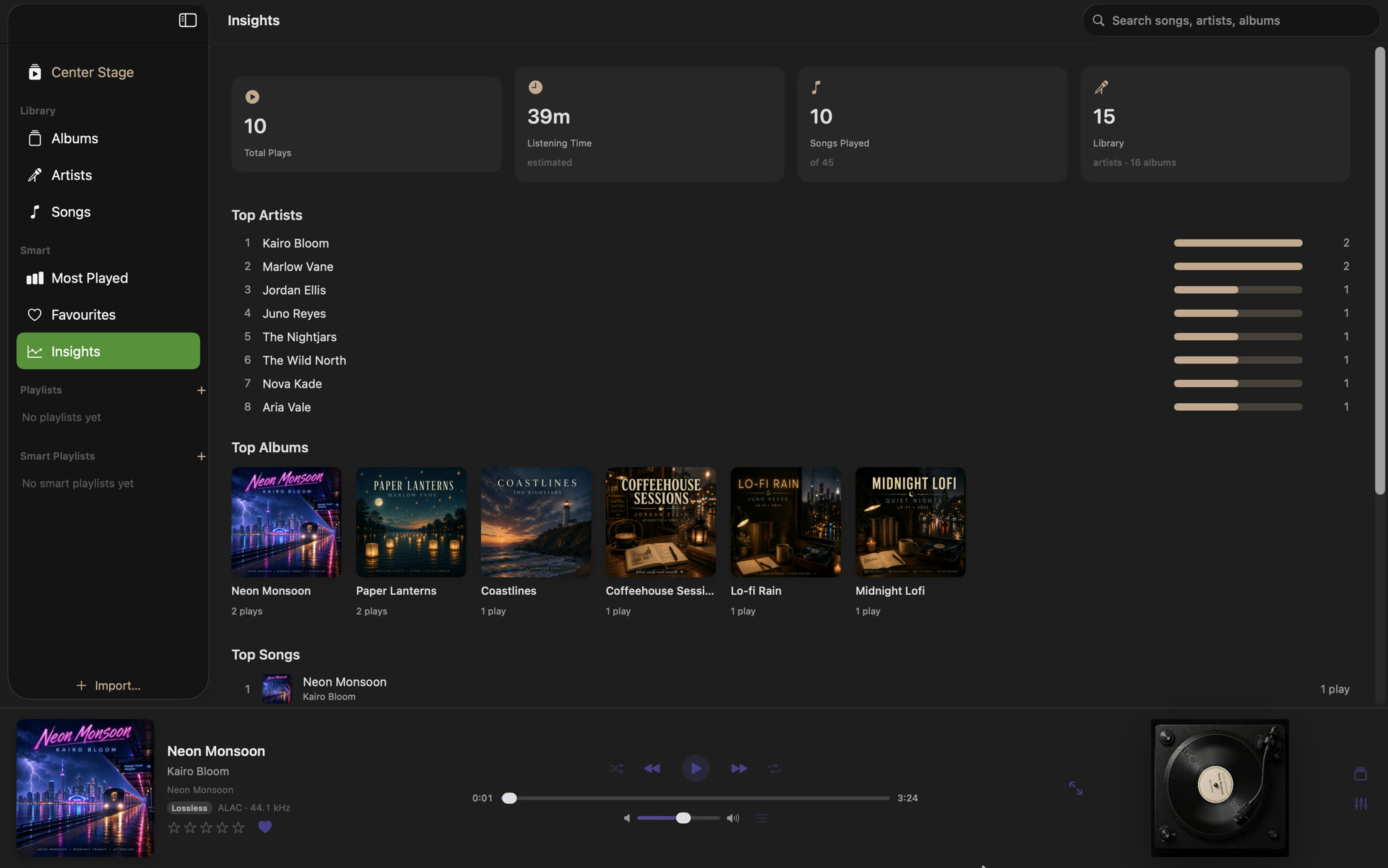
Sleevio quietly notices what you play — all on your Mac, no account — and turns it into a clean dashboard of your habits, so your collection tells its own story.

  • Total plays and listening time at a glance
  • Your top artists, albums and songs
  • Computed entirely on-device — nothing leaves your Mac
Sleevio Insights dashboard

Sounds right

Tune it to your ears

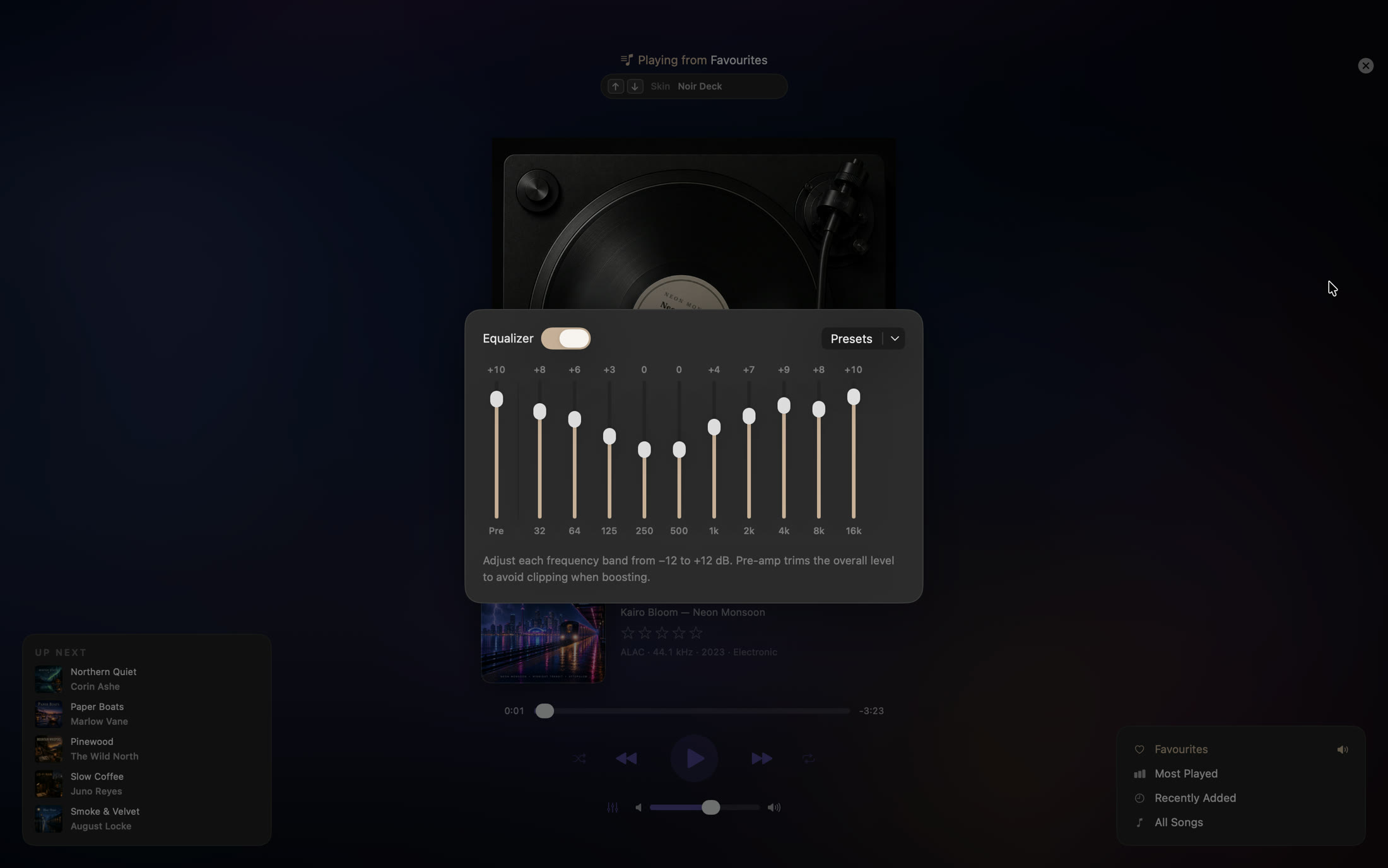
A true 10-band graphic equalizer, right on the deck. Shape every band, save presets, and let gapless playback with optional crossfade keep the music flowing between tracks.

  • 10-band EQ with presets and a pre-amp
  • Gapless playback & optional crossfade
  • Media keys and Control Center Now Playing
  • A Mini Player for when you just want the controls
Sleevio 10-band equalizer

Skins

A turntable, or a tape deck

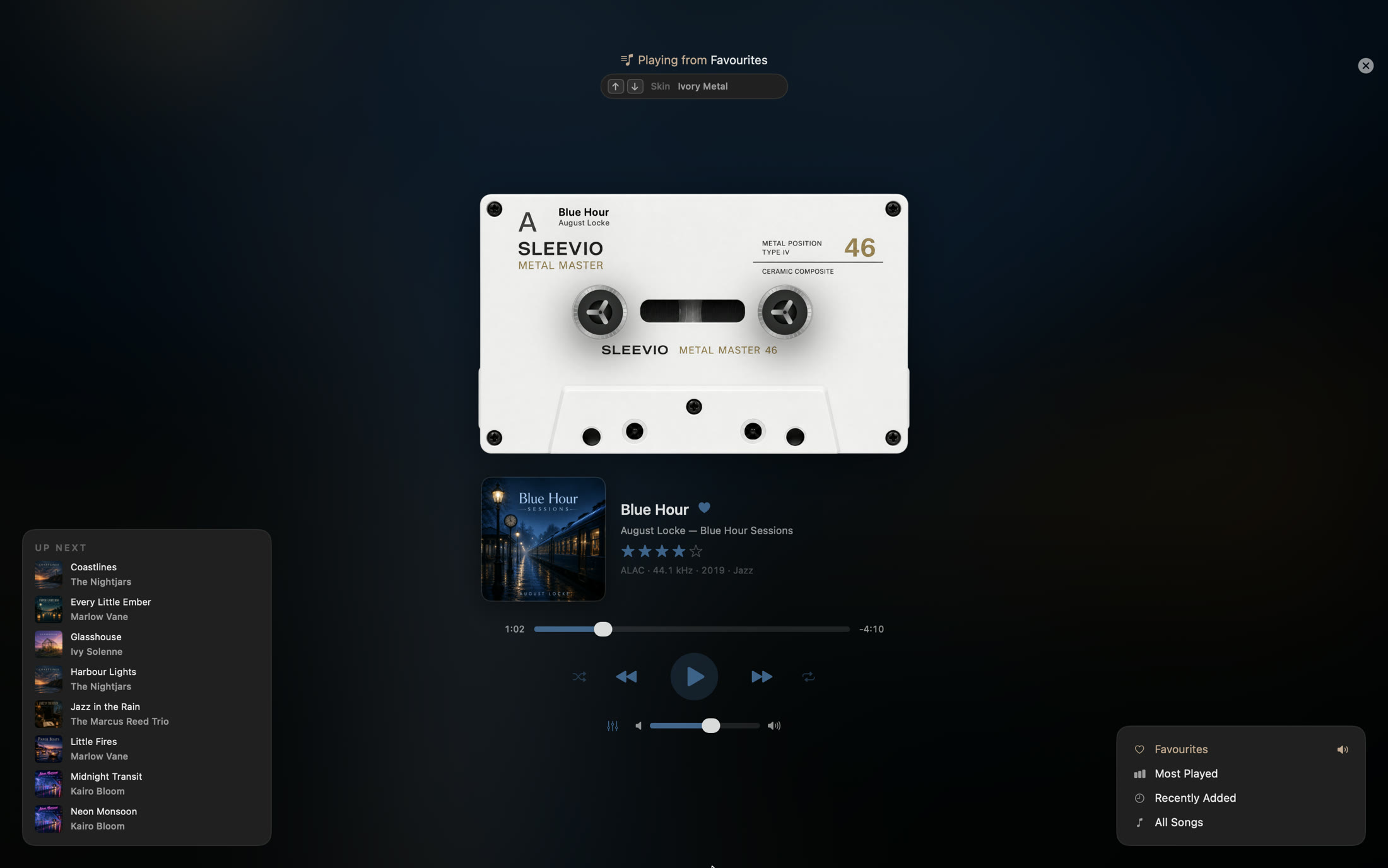
Choose how your music looks while it plays — a photoreal turntable or a classic cassette, each its own formulation, with a subtle wash of the album's colours setting the mood.

  • Multiple vinyl and cassette skins
  • Switch instantly with a click or ↑ / ↓
  • Or drop to a live spectrum analyzer
Center Stage cassette skin

A closer look

Made to live in

Click any shot to view it full size — then browse through with the arrows.

Questions

Good to know

What music can Sleevio play?

Your own files — MP3, AAC, ALAC, FLAC, WAV and AIFF, including Hi‑Res and lossless (with the codec and sample rate shown right on the now‑playing screen). Point it at a folder and it builds the library; add music to that folder later and Sleevio picks it up automatically.

Does it work with Apple Music or Spotify?

No — and honestly, it isn't trying to. Sleevio is built for music you own as files: ripped CDs, Bandcamp purchases, DRM‑free downloads. If your whole library lives in a streaming service, Sleevio isn't the right app for you.

Why a one‑time price and not a subscription?

Because nothing about Sleevio costs us money every month. It runs entirely on your Mac — no servers, no accounts, no cloud. So there's nothing to rent: you buy it once for $4.99 and it's yours, updates included.

Will it change my files or tags?

Never. Sleevio's access to your music is read‑only — it reads your tags and artwork exactly as they are and never writes to your files. Ratings, play counts, playlists and favourites are kept in the app's own storage, separate from your music.

How big a library can it handle?

Thousands of tracks comfortably — it's developed and tested against a multi‑thousand‑track library, with fast search, sorting and artwork loading. Tags for a big import load in the background, so the library is usable right away.

What does it need to run?

macOS 15 or later on Apple silicon (M1 or newer). There's no Intel build — Sleevio is tuned specifically for Apple's chips.
Give your music the home it deserves

$4.99 one-time · yours forever

Support

Get in touch

Sleevio is designed, built and supported by one person — Mudit Mehta. Questions, bugs, or ideas? Email pagebypage.desk@gmail.com — every message gets read and answered, usually within a day.

Email support